Customer Login


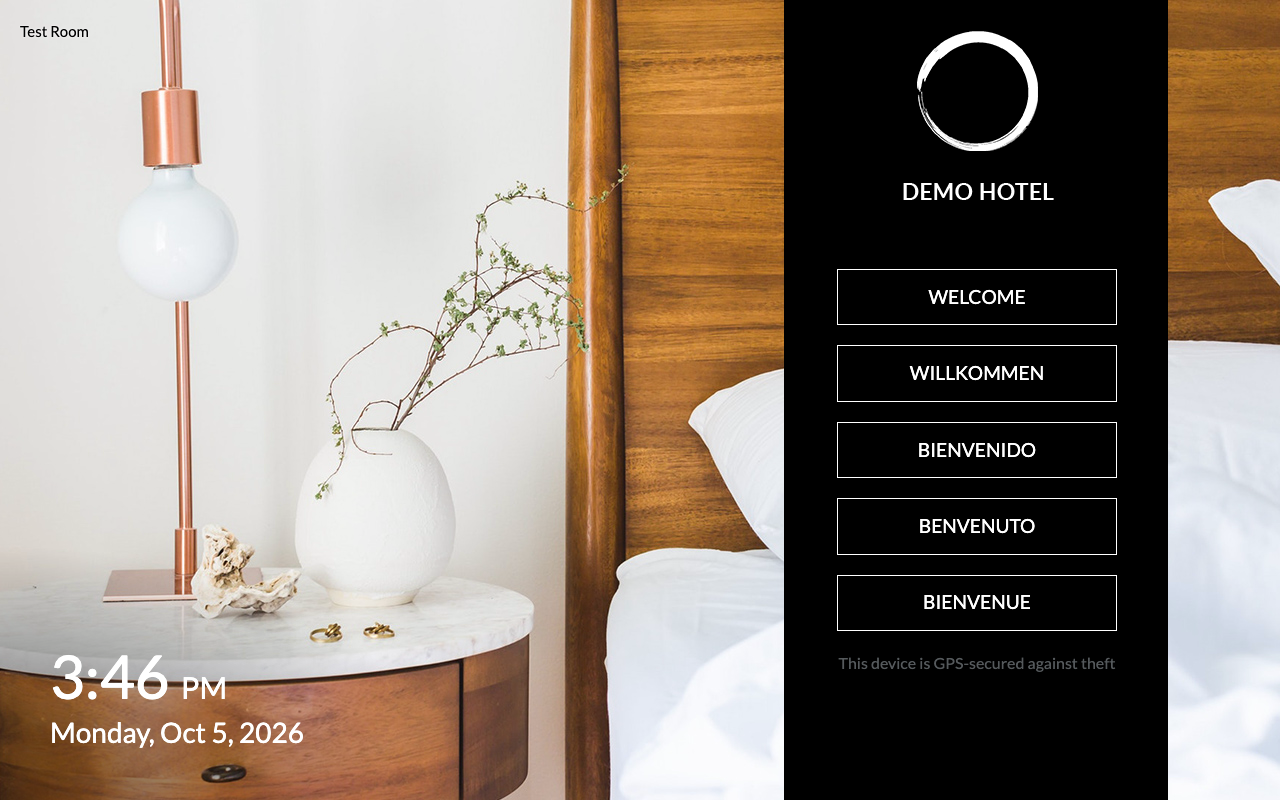
The clock on the welcome screen can now show the date as well as the time.
It sounds like a small thing. But think about how quickly guests lose track of the days when they travel, especially on a longer stay or a holiday. Is it Thursday already? When was check-out again?
Now the answer is right there on the nightstand. It's the first thing guests see when they pick up the device.
How it works
The date now sits next to the time in the clock on the welcome screen. Before this update, the clock showed the time only.
There is nothing for your team to do day to day. Once it's on, the date updates by itself.
How to turn it on
The date is optional, so your welcome screen stays exactly as it is until you decide to switch it on.
Want to show the date to your guests? Your Customer Success Manager can set it up for you.
See how in-room feedback prevents bad reviews at your hotel.
20-minute demo, tailored to your room count and guest profile. No commitment.